Your cart is currently empty!
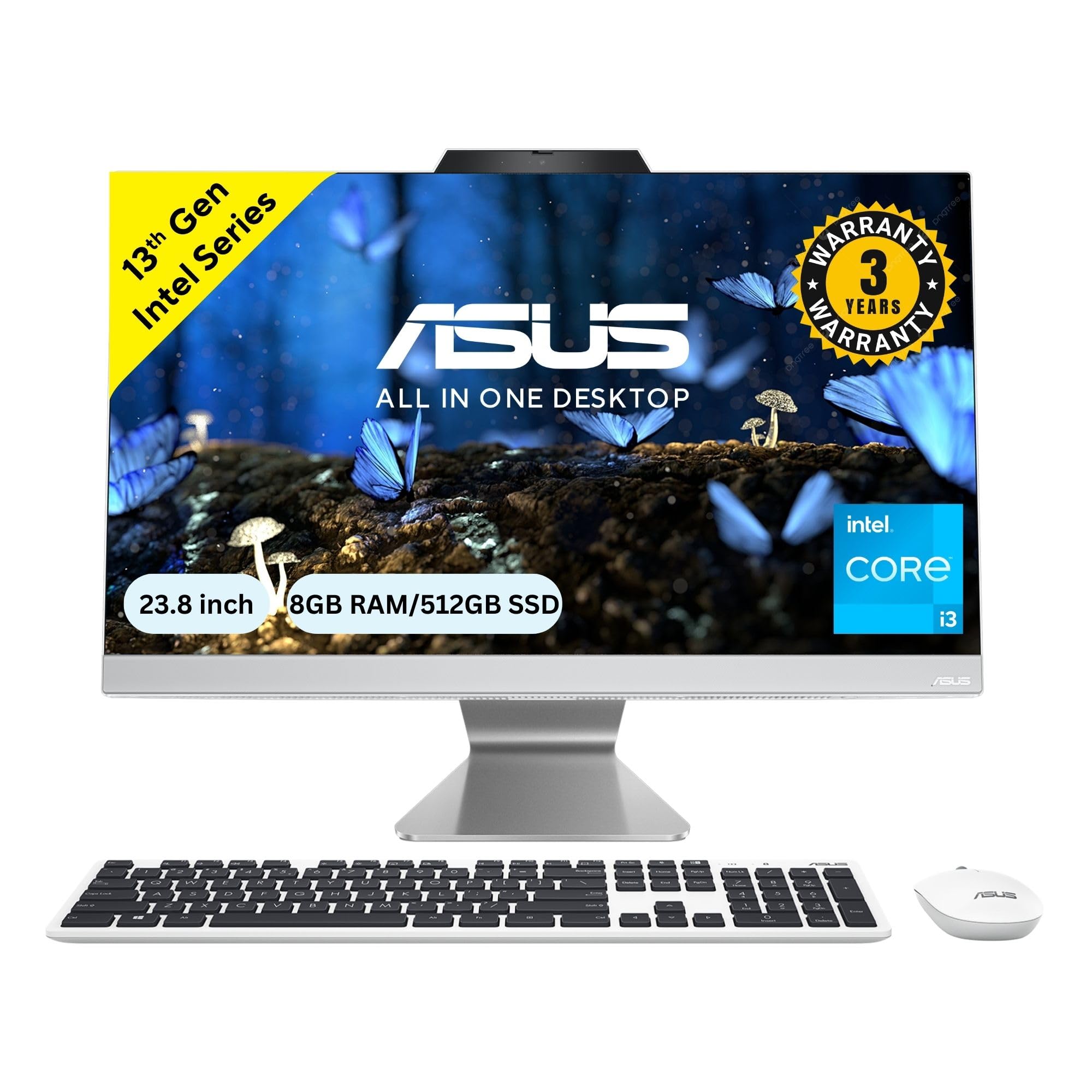
ASUS A3402 All-in-One PC Review 13th Gen Intel Core i3 Performance
₹43,990.00
? **Unleash Your Productivity with the ASUS A3402 All-in-One PC!** ? Transform your workspace with the sleek 23.8″ FHD display that not only looks stunning but also enhances your viewing experience. Powered by the 13th Gen Intel Core i3-1315U, this PC ensures smooth multitasking with its 8GB RAM and lightning-fast 512GB SSD storage. ?✨ Pre-installed with Windows 11 and Office 2021, you’re all set for work or play right out of the box! Plus, enjoy the convenience of a wireless white keyboard
Description
The ASUS A3402 is a sleek all-in-one PC designed for users seeking a powerful yet compact computing solution. With its modern design and solid performance, it aims to cater to a variety of needs, from home office work to casual entertainment. Let’s dive into the details of this intriguing device.
Key Features at a Glance | Unboxing & First Impressions | Design and Build Quality | Performance and Usability | Feature Breakdown | Detailed Specifications | Pros and Cons | Comparison with Competitors | Target Audience | Value Proposition | Final Verdict | FAQs
Key Features at a Glance
- 23.8″ Full HD Display
- 13th Gen Intel Core i3-1315U Processor
- 8GB RAM and 512GB SSD for smooth multitasking
- Windows 11 pre-installed with Office 2021
- Includes wireless white keyboard and mouse
- 3 years warranty for peace of mind
- Stylish and space-saving design at 5.4 Kg
Unboxing & First Impressions
Upon unboxing the ASUS A3402, the first thing that stands out is its elegance. The all-in-one PC comes neatly packed, with the monitor, keyboard, and mouse all in pristine condition. The setup process is incredibly straightforward, making it an appealing choice for those who are not tech-savvy. The first boot reveals a vibrant screen that immediately captivates with its sharpness and color accuracy. ?
Design and Build Quality
The ASUS A3402 boasts a modern aesthetic, characterized by its sleek white finish that can easily blend into any environment, be it a home office or a living room. The build quality feels sturdy, with a solid stand that supports the monitor effectively. The 23.8″ display is surrounded by minimal bezels, enhancing the viewing experience. The overall weight of 5.4 Kg makes it easy to reposition if necessary. ?️
Performance and Usability
Equipped with a 13th Gen Intel Core i3-1315U processor and 8GB of RAM, the A3402 delivers commendable performance for everyday tasks. Whether you’re browsing the web, streaming videos, or using productivity software, it handles multitasking with ease. The 512GB SSD not only provides ample storage but also ensures quick boot times and rapid access to files. Windows 11 enhances the user experience with its intuitive interface and features. ?
Feature Breakdown
The ASUS A3402 comes packed with features that cater to a wide range of users. The Full HD display is perfect for watching movies or working on detailed projects. The inclusion of Office 2021 means you can start working on documents and spreadsheets right out of the box. The wireless keyboard and mouse add to the convenience, allowing for a clutter-free workspace. Moreover, the three-year warranty gives buyers confidence in their purchase. ?
Detailed Specifications
| Feature | Specification |
|---|---|
| Display | 23.8″ FHD |
| Processor | Intel Core i3-1315U |
| RAM | 8GB |
| Storage | 512GB SSD |
| Operating System | Windows 11 |
| Office Suite | Office 2021 |
| Weight | 5.4 Kg |
| Warranty | 3 Years |
Pros and Cons
Pros
- Stylish and modern design
- Good performance for everyday tasks
- Quick boot and load times with SSD
- Includes Office 2021
- Three-year warranty for added reliability
Cons
- Limited gaming capabilities
- Not suitable for intensive graphic design tasks
Comparison with Competitors
When compared to similar all-in-one PCs, the ASUS A3402 stands out due to its combination of performance, design, and value. Competitors like the HP All-in-One and Lenovo IdeaCentre offer similar specifications but often lack the same sleek aesthetics or come at a higher price point. The A3402 provides a balanced approach for users who want both functionality and style. ⚖️
Target Audience
The ASUS A3402 is ideal for students, professionals, and casual users who need a reliable, everyday computer without the complexity of building a desktop setup. Its straightforward design and usability make it a great choice for those who may not be tech-savvy or who prefer a clutter-free workspace. ?
Value Proposition
With its reasonable price point and solid performance, the ASUS A3402 offers excellent value for those looking for an all-in-one solution. The inclusion of Windows 11 and Office 2021 right out of the box enhances its attractiveness, making it a wise investment for both personal and professional use. ?
Final Verdict
The ASUS A3402 is a commendable choice for anyone in need of a reliable all-in-one PC. Its combination of style, performance, and features make it suitable for a variety of tasks, from work to play. If you’re in the market for a device that looks good and performs well without breaking the bank, the A3402 deserves your consideration. ?
FAQs
Q: Is the ASUS A3402 suitable for gaming?
A: While it can handle casual games, it’s not designed for intensive gaming due to its integrated graphics.
Q: Does it come with a warranty?
A: Yes, the ASUS A3402 comes with a 3-year warranty for added peace of mind.
Q: Can I upgrade the RAM?
A: No, the RAM is soldered and cannot be upgraded.
Q: What type of tasks is this PC best suited for?
A: It’s ideal for everyday tasks like web browsing, office applications, and media consumption.
Q: Does it support Bluetooth?
A: Yes, the ASUS A3402 supports Bluetooth connectivity for pairing with other devices.
In summary, the ASUS A3402 presents an attractive option for those looking for a stylish, all-in-one PC that balances performance and usability. Whether you’re a student, a professional, or simply need a reliable machine for home use, the A3402 is well-equipped to meet your needs. With its solid warranty and pre-installed software, it’s ready to go right out of the box, making it a hassle-free choice for any user. ?
Related products
-

Apple 2024 iMac All-in-One Desktop Computer with M4 chip with 8-core CPU and 8-core GPU: Built for Apple Intelligence, 60.96 cm (24″) Retina Display, 16GB Unified Memory, 256GB SSD Storage; Silver
₹134,900.00 -
Apple MacBook Air M2 Review: Sleek Power with Stunning Display and Features
₹83,990.00 -
ASUS A3402 All-in-One PC Review 13th Gen Intel Core i5 Performance Insights
₹54,990.00 -
ASUS A3402, 23.8″ FHD, 13th Gen, Intel Core i5-1335U, All-in-One PC (16GB RAM/1TB SSD/Windows 11/Office 2021/White/5.4 Kg),with Wireless White Keyboard & Mouse, 3 Years Warranty, A3402WVA-WPC005WS
₹59,990.00 -
BASAMA Raftaar I3 3220 PC Review: Speed, Storage, and Value Packed
₹8,359.00
Reviews
There are no reviews yet.